Resources / SEO starter kit

Learn SEO.
One tool at a time.

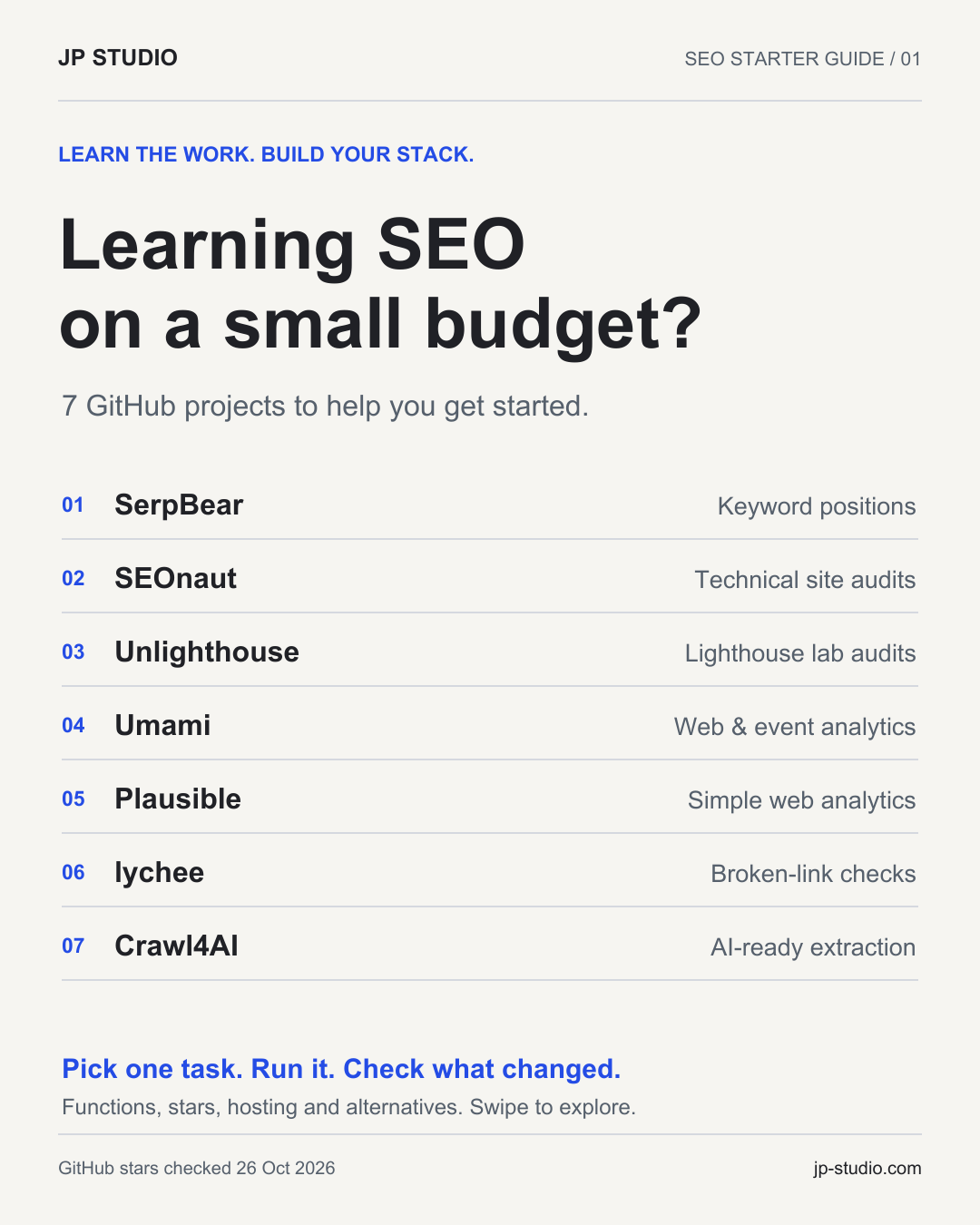
Seven open-source projects for a small budget. Understand what each one does, choose a useful first task, and learn by doing.

PDF · English · no email needed

GitHub / Open sourceLinks, licences and stars checked 26 October 2026.

01 / Start with a job

What would you like
to understand first?

Start with the question you want to answer. You do not need to set up every tool.

02 / The toolkit

Find your starting point.

The useful differences, the setup and a first exercise. Open a tool for the detail.

GitHub stars were checked on 26 October 2026. They are repository snapshots, not a quality or security score.

01

Keyword rank tracking

SerpBear

A self-hosted application for following configured keywords and domains in Google search results.

towfiqi/serpbear
2,142GitHub starsMITLicence
Setup & first exercise

Useful when

You have a small set of searches that matter to your business and want to review their positions over time.

Your first task

  1. Read the current provider documentation and choose a supported SERP data source before enabling checks.
  2. Add your own domain and a small keyword set with the relevant country and language.
  3. Record a baseline, then compare later checks using the same settings.

Where it runs

Self-hosted Next.js application with SQLite; Docker is supported.

What to budget for

Plan for hosting and a supported SERP provider or proxy service. The open-source application does not remove the cost of collecting search results, and older provider examples may no longer work.

Compare for this job

SE Ranking

An alternative for the keyword-position tracking job.

The boundary: It does not provide an equivalent complete SEO suite, backlink index or keyword database.

02

Technical site audits

SEOnaut

A crawler that turns technical website findings, such as broken links, redirects and metadata issues, into a list you can investigate.

StJudeWasHere/seonaut
838GitHub starsMITLicence
Setup & first exercise

Useful when

You want to practise reading a crawl report and checking whether a specific fix changes the result.

Your first task

  1. Follow the repository's self-hosting instructions, including its database setup.
  2. Crawl a small website you control and choose one finding, such as a missing title or an internal 404.
  3. Inspect the affected page, fix the issue and crawl again to check the result.

Where it runs

Self-hosted Go application with MySQL; Docker Compose is recommended upstream.

What to budget for

Allow for server and database resources, backups, updates and maintenance. Self-hosting is a different commitment from opening a managed crawler account.

Compare for this job

Screaming Frog SEO Spider

An alternative for crawling and technical issue checks.

The boundary: Features differ, including advanced rendering and integrations. Screaming Frog also has a limited free tier, so compare the task you need before choosing.

03

Lighthouse lab audits

Unlighthouse

A tool that discovers pages and runs Lighthouse across them, giving you reports to compare across a site.

harlan-zw/unlighthouse
4,915GitHub starsMITLicence
Setup & first exercise

Useful when

You want to compare several page templates and investigate why one behaves differently under the same test conditions.

Your first task

  1. Follow the upstream setup for the version you select and use its required Node.js version.
  2. Run a small mobile lab audit on pages you control, keeping concurrency modest.
  3. Inspect one report, make a targeted change and repeat the same test conditions.

Where it runs

A local Node.js and Chromium environment, or a compatible CI runner.

What to budget for

Local runs use your computer's CPU and memory. CI runs use runner resources. A local Lighthouse run does not require a paid PageSpeed API key.

Compare for this job

DebugBear

An alternative for the Lighthouse lab-audit part of the work.

The boundary: It is not the same managed monitoring service and does not replace real-user measurements or all global monitoring features.

04

Website and event analytics

Umami

An analytics application for understanding visits, referral sources, campaigns and events you choose to track.

umami-software/umami
39,705GitHub starsMITLicence
Setup & first exercise

Useful when

You want to learn how visitors arrive and whether they trigger a useful event, such as clicking a contact button.

Your first task

  1. Follow the current installation documentation and connect the required PostgreSQL database.
  2. Add a site you control and its tracking code.
  3. Make a test visit, trigger a simple event and check that the report shows what you expected.

Where it runs

A Node.js application with PostgreSQL; a Docker setup is available.

What to budget for

Self-hosting requires application and database resources, backups, upgrades and maintenance. Umami also offers a hosted service with its own plans. What you send in event properties still matters.

Compare for this job

Fathom

Comparable for visitor and event analytics.

The boundary: The features and managed services are not identical. Umami Cloud and self-hosted Umami also differ.

05

Simple website analytics

Plausible Community Edition

The self-hosted Community Edition of Plausible, with a focused view of traffic, acquisition sources and goals.

plausible/analytics
29,669GitHub starsAGPL-3.0-or-later application; MIT JavaScript tracker.Licence
Setup & first exercise

Useful when

You want a small analytics dashboard and are comfortable operating the application and its databases yourself.

Your first task

  1. Use the Community Edition setup repository and read its current resource requirements.
  2. Add a site you control and follow the tracking setup.
  3. Check a test visit, a referral source and one useful goal before relying on the reports.

Where it runs

A self-hosted Docker Compose stack with PostgreSQL and ClickHouse.

What to budget for

Budget for the server, both databases, backups, updates and operational time. Community Edition and the paid Cloud service have different feature sets.

Compare for this job

Plausible Cloud

An alternative for core website analytics.

The boundary: Community Edition omits Cloud features such as funnels, user journeys, ecommerce revenue goals and SSO. Support and operation also differ.

06

Broken-link checks

lychee

A command-line link checker for Markdown, HTML, text files and URLs. A separate GitHub Action can repeat the checks in a repository workflow.

lycheeverse/lychee
4,049GitHub starsMIT OR Apache-2.0, at your option.Licence
Setup & first exercise

Useful when

You publish documentation or maintain a repository and want to investigate failed links before or after a change.

Your first task

  1. Follow the CLI documentation and check a small set of your own files.
  2. Inspect a reported failure manually before changing the link; rate limits and temporary errors can look like broken links.
  3. When the check is useful locally, consider the GitHub Action for pull requests or a suitable schedule.

Where it runs

Your local machine or a GitHub Actions runner; it does not require a permanent web server.

What to budget for

Local runs use your computer and network. GitHub Actions may consume billable runner minutes depending on the repository, plan and workflow.

Compare for this job

Dr. Link Check

An alternative for checking links and reporting failures.

The boundary: It is not the same managed scheduling/reporting service or a complete website audit suite. JavaScript-generated links may need separate checks.

07

Web extraction for AI workflows

Crawl4AI

A Python-based tool for rendering pages and extracting content as Markdown or structured data for a later research or AI step.

unclecode/crawl4ai
86,293GitHub starsApache-2.0. Retain applicable notices and attribution, and consult the upstream licence and README.Licence
Setup & first exercise

Useful when

You want to work with a small set of public documentation or other pages, and need source content that you can inspect before using it in a workflow.

Your first task

  1. Follow the current SDK setup and browser requirements, or the current self-hosting guide if choosing Docker.
  2. Extract a few pages you are permitted to access, initially without optional model-based extraction.
  3. Compare the output with the source pages and keep the original URLs before feeding it into another tool.

Where it runs

Local Python with browser dependencies, or a self-hosted Docker service.

What to budget for

Core crawling and CSS-based extraction do not require an LLM key. Browsers, server resources, proxies and optional model calls can add costs, and you operate the infrastructure yourself.

Compare for this job

Firecrawl

An alternative for the web-extraction part of a workflow.

The boundary: It does not provide an equivalent managed cloud service, proxy infrastructure or search index. It is not a complete SEO platform.

03 / Learn by doing

A report is a starting point.

Take one finding through to a checked result.

  1. 01

    Choose one site or repository you control and one question you want to answer.

  2. 02

    Run the relevant check or make a test visit, then save the date and settings with the result.

  3. 03

    Inspect one finding, make one targeted change and repeat the check.

  4. 04

    Record what changed and what is still uncertain before expanding the workflow.

A guide to keep

Keep the links.
Try one thing.

The free PDF brings the repository links, tool roles and first exercises together. Read this page anytime; there is no login, email form or community to join.

Download the guidePDF · English · no email needed
Cover of the seven open-source SEO tools starter guide

04 / A few useful distinctions

Before you install anything.

Are these tools completely free to operate?

Open-source code does not remove hosting, database, data-provider or maintenance costs. Local tools use your own computer; self-hosted applications need ongoing operation. The cost notes identify what each setup requires.

Do I need all seven?

No. Choose the tool for the job you want to practise. Umami and Plausible overlap, while Crawl4AI addresses web extraction rather than a general SEO audit.

Do these replace an entire paid SEO suite?

The comparisons are limited to particular tasks. A rank tracker, crawler or link checker does not automatically include every data source, integration, support option or monitoring feature in a paid suite.

Is seo-unlighthouse the same project as Unlighthouse?

No. Unlighthouse is the audit engine. The seo-unlighthouse skill is an optional wrapper in the separate Haniubub/seo-toolkit repository, with its own setup and version assumptions.

More practical notes on AI, code and automation.

Follow @madebyjpstudio on Instagram

Built by JP Studio

We design and build digital products, AI assistants and business automations. This guide is a starting point for learning; it is not a claim that we use or have tested every project.

Explore AI & automation